Hello-Scraping


Figure 1

An anatomical breakdown of a URL string, labeling its components: protocol (http), host ([www.domain.com](https://www.domain.com/)), port (1234), resource path (/path/to/resource), and query (?a=b&x=y)

Figure 2

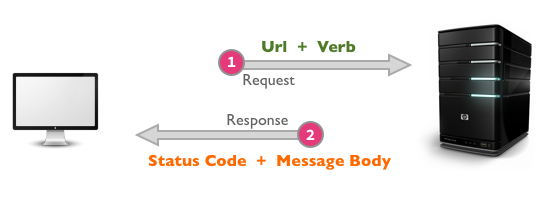
A diagram showing the HTTP request-response cycle between a client computer and a server, highlighting the URL + Verb request and the Status Code + Message Body response

Figure 3

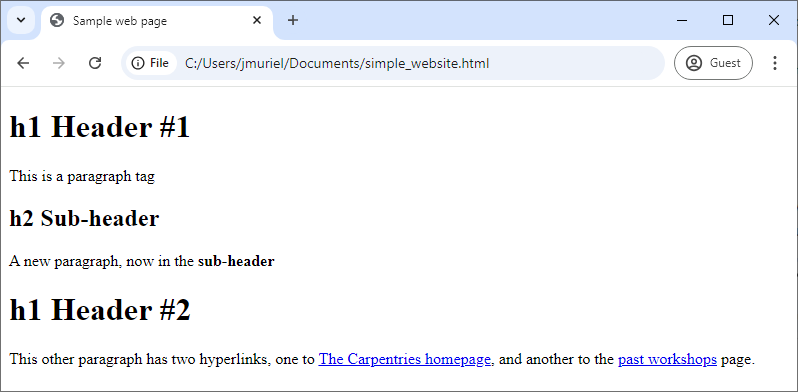
Screenshot of a simple website with the previews HTML

Figure 4

Screenshot of a simple website with the previews HTML
The Document Object Model (DOM) that represents an HTML document with a tree structure. Source: Wikipedia. Author: Birger Eriksson

Scraping a real website


Figure 1

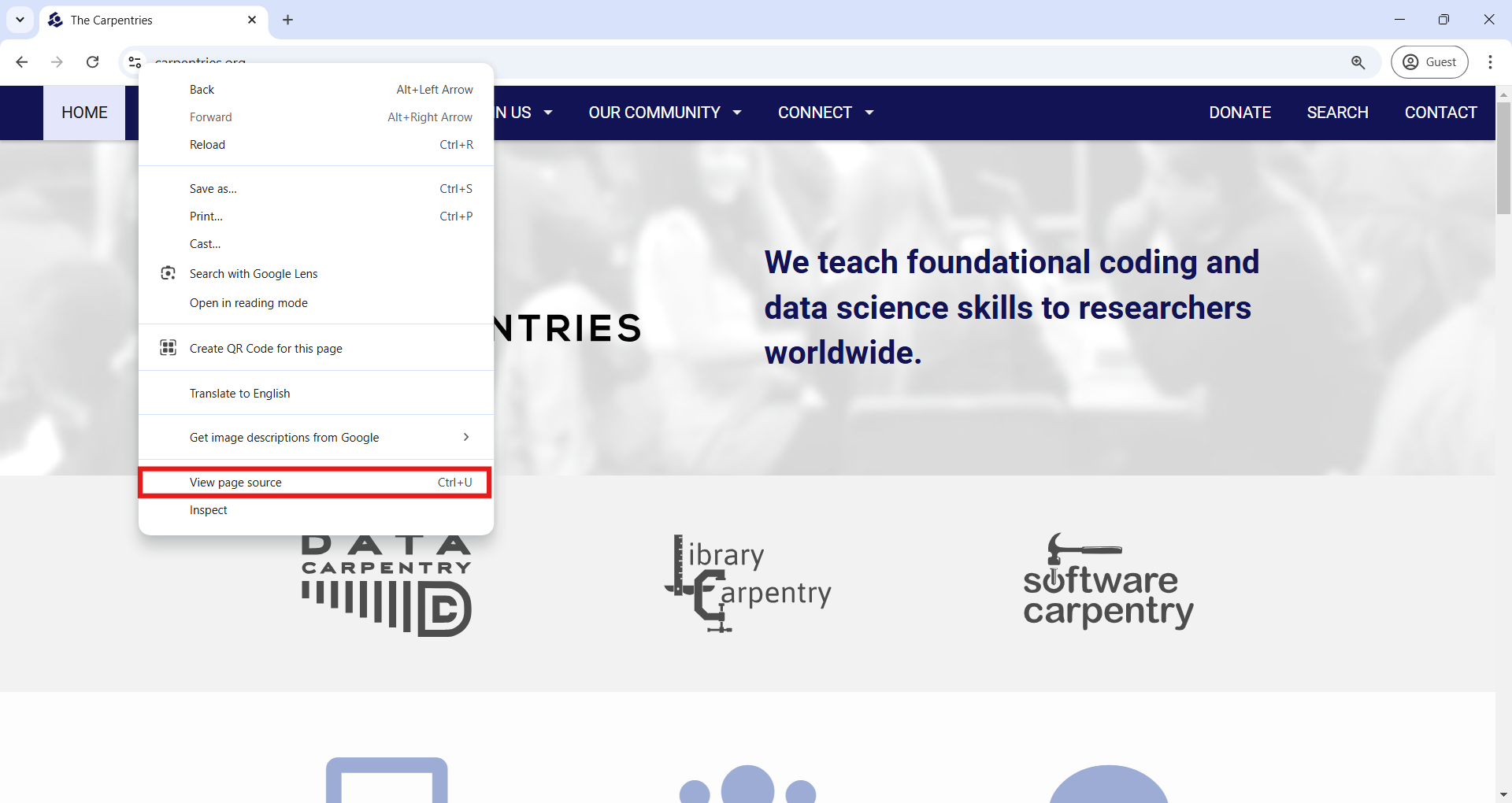
A screenshot of The Carpentries upcoming workshops website in the Google Chrome web browser, showing how to View page source

Figure 2

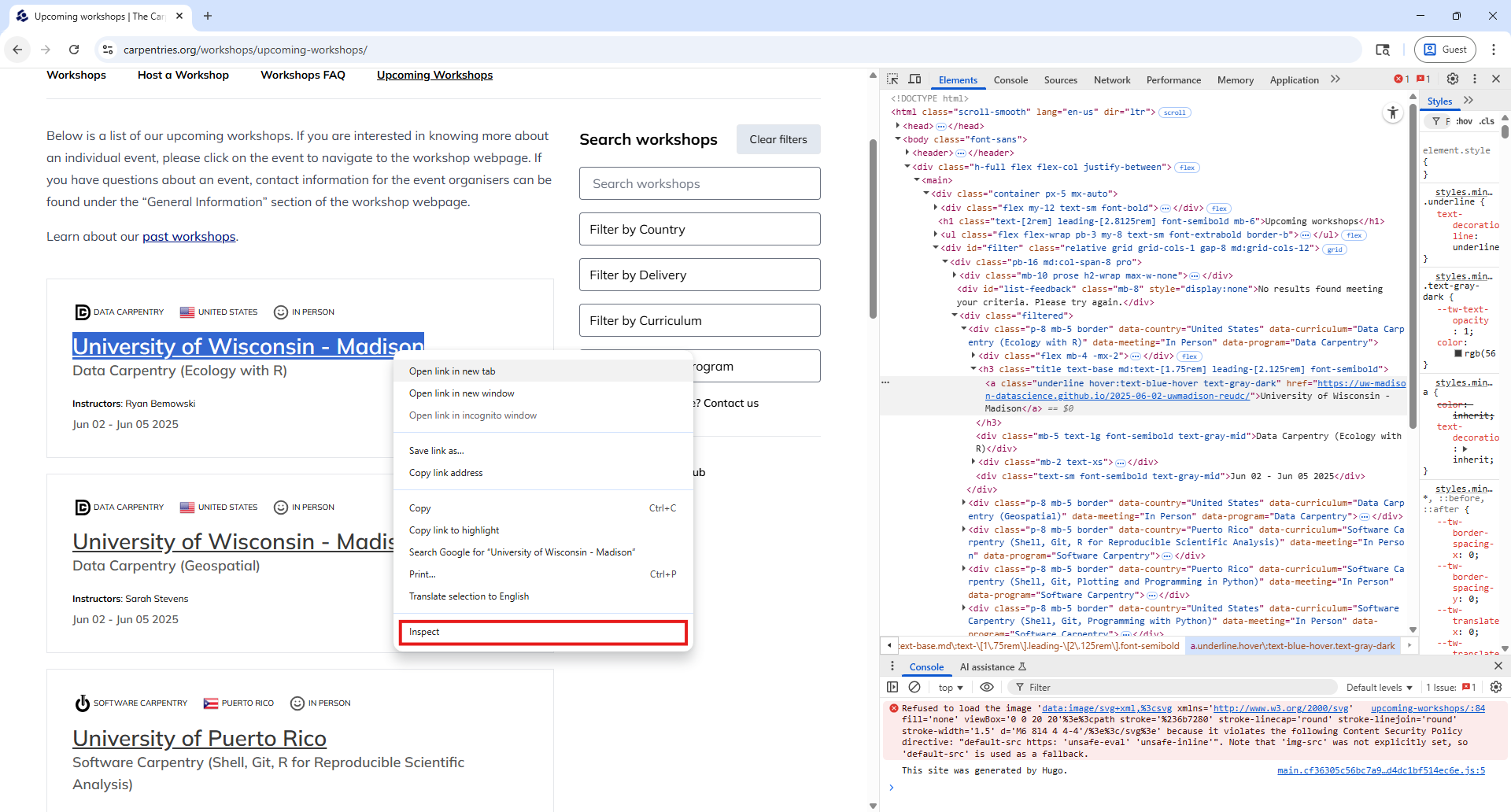
A screenshot of Google Chrome web browser, showing how to use Inspect from the Chrome DevTools

Figure 3

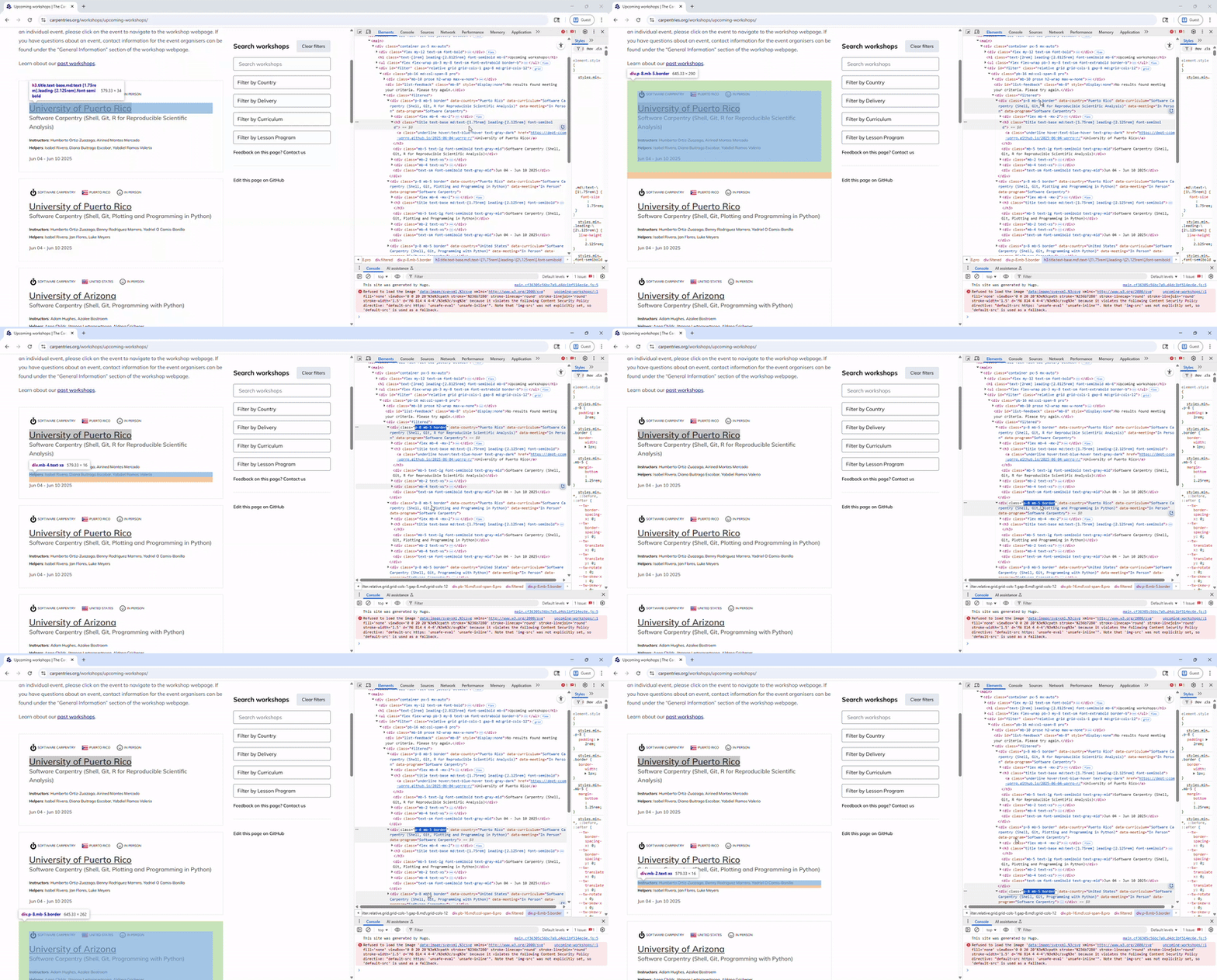
All workshop cards share a 'p-8 mb-5 border' class attribute.

Dynamic websites


Figure 1

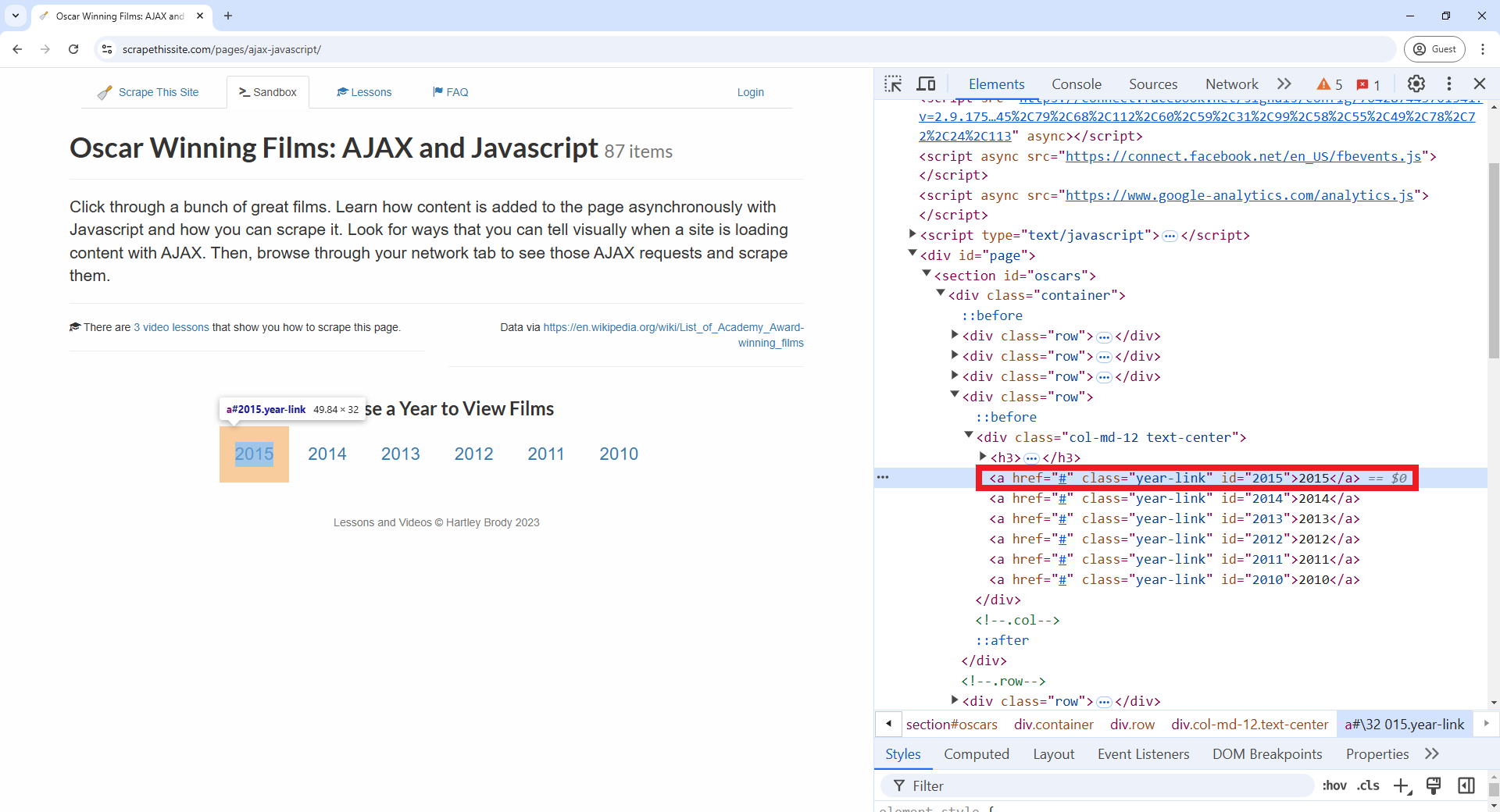
A screenshot of Google Chrome web browser, showing how to search a specific element by using Inspect from the Chrome DevTools

Figure 2

A screenshot of Google Chrome web browser, highlighting the `<div>` element that contains the data we want about the product